GST Portal kaise use kare – Beginners ke liye Practical Guide – Hindi Me
GST Portal Login aur Basic Navigation Guide 2026: Hindi me Step-by-Step
🚨 कानूनी अस्वीकरण (Legal Disclaimer)
यह लेख केवल सूचनात्मक और शैक्षिक उद्देश्यों के लिए है। यह GST पोर्टल (www.gst.gov.in) पर लॉगिन और बेसिक नेविगेशन का एक सामान्य अवलोकन प्रदान करता है, जो 2026 तक लागू पोर्टल सुविधाओं और प्रक्रियाओं पर आधारित है। पोर्टल इंटरफेस और सुविधाएं बिना किसी पूर्व सूचना के बदल सकती हैं। यह सामग्री पेशेवर कर सलाह का विकल्प नहीं है। व्यवसायियों को अपनी विशिष्ट स्थिति के अनुरूप सलाह के लिए एक योग्य चार्टर्ड अकाउंटेंट या टैक्स कंसल्टेंट से परामर्श करना चाहिए।
1. रियल-लाइफ कहानी से शुरुआत (Real-Life Story)
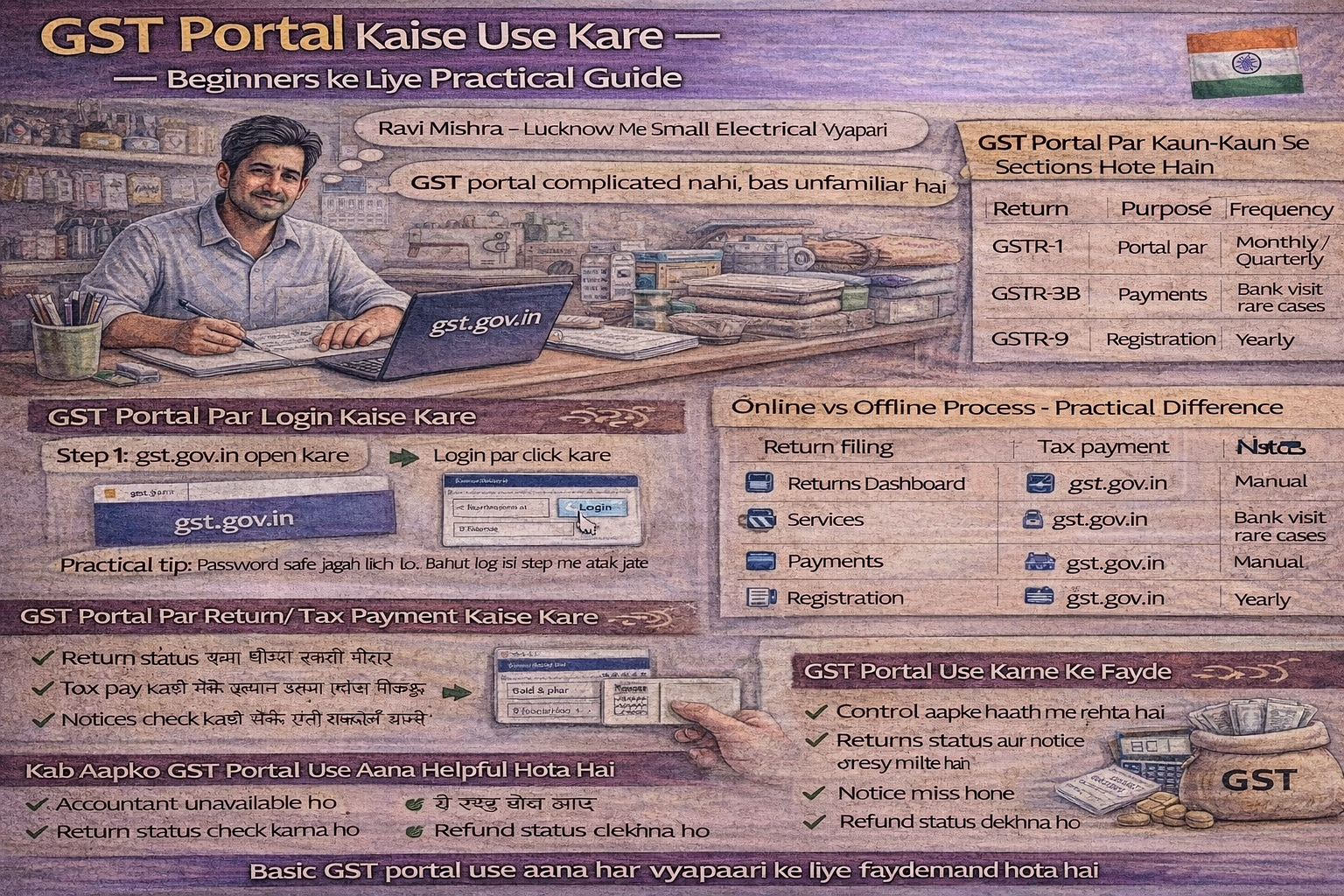
रवि मिश्रा, लखनऊ में एक स्मॉल इलेक्ट्रिकल शॉप चलाता है। तीन साल पहले उसने जीएसटी रजिस्ट्रेशन लिया था, लेकिन पोर्टल यूज करना उसके लिए हमेशा स्ट्रेसफुल रहा। हर छोटी चीज के लिए अकाउंटेंट को कॉल करना पड़ता था—रिटर्न फाइल करना हो, चालान बनाना हो या नोटिस चेक करना हो।
एक दिन अकाउंटेंट बिजी था और GSTR-3B की ड्यू डेट पास आ रही थी। रवि को मजबूरन खुद जीएसटी पोर्टल लॉगिन करके काम समझना पड़ा। तब उसे रियलाइज़ हुआ कि पोर्टल उतना कॉम्प्लिकेटेड नहीं है जितना पहले लगता था—बस थोड़ा बेसिक फ्लो समझना पड़ता है।
अगर आप भी जीएसटी रजिस्टर्ड हो और पोर्टल से थोड़ा हिचकिचाते हो, तो यह गाइड आपके लिए है .
बिजनेस पर असर (Business Impact):
स्मॉल बिजनेस ओनर्स के लिए जीएसटी पोर्टल का मेन चैलेंज टेक्निकल नहीं, प्रैक्टिकल होता है। पासवर्ड याद नहीं रहता, पोर्टल के मेन्यूज़ कन्फ्यूजिंग लगते हैं, रिटर्न का सेक्शन कौन सा है समझ नहीं आता, नोटिस का डर रहता है, और हर काम के लिए अकाउंटेंट पर डिपेंडेंसी रहती है .
सच यह है कि पोर्टल का बेसिक यूज हर बिजनेस ओनर को आना चाहिए, चाहे रिटर्न्स अकाउंटेंट फाइल करे। इससे आपका कंट्रोल बढ़ता है और कंप्लायंस का स्ट्रेस कम होता है।
2. जीएसटी पोर्टल क्या है – सिंपल शब्दों में (What is GST Portal)
सिंपल शब्दों में बोलें तो:
जीएसटी पोर्टल (www.gst.gov.in) एक ऑनलाइन प्लेटफॉर्म है जहां आप:
- रिटर्न्स फाइल करते हो
- टैक्स पे करते हो
- रजिस्ट्रेशन अपडेट करते हो
- नोटिसेस चेक करते हो
- रिफंड अप्लाई करते हो
मतलब जीएसटी से रिलेटेड अलमोस्ट हर काम इसी पोर्टल से होता है। यह सरकार का ऑफिशियल कंप्लायंस प्लेटफॉर्म है, जो सभी रजिस्टर्ड टैक्सपेयर्स को जीएसटी से जुड़ी सेवाएं ऑनलाइन उपलब्ध कराता है .
वेबसाइट: www.gst.gov.in
3. लॉ क्या कहता है और प्रैक्टिकल रियलिटी क्या होती है (Law vs Practical Reality)
| पैरामीटर | लॉ कहता है | प्रैक्टिकल रियलिटी |
|---|---|---|
| कंप्लायंस का तरीका | जीएसटी रजिस्टर्ड पर्सन को रिटर्न्स और कंप्लायंस ऑनलाइन पोर्टल के जरिए ही करने होते हैं | बहुत से स्मॉल बिजनेस सिर्फ अकाउंटेंट पर डिपेंड रहते हैं और पोर्टल खुद कभी ओपन भी नहीं करते |
| टाइमली एक्शन | सभी रिटर्न्स और नोटिसेज की समय सीमा होती है | प्रॉब्लम तब आती है जब अर्जेंट एक्शन लेना हो या नोटिस का रिप्लाई टाइम-बाउंड हो |
| डॉक्यूमेंटेशन | सभी इलेक्ट्रॉनिक रिकॉर्ड्स रखने होते हैं | बेसिक पोर्टल नेविगेशन हर ओनर को आना चाहिए |
इसलिए बेसिक पोर्टल नेविगेशन हर ओनर को आना चाहिए .
4. जीएसटी पोर्टल पर लॉगिन कैसे करें (How to Login to GST Portal)
पहली बार लॉगिन करने वालों के लिए प्रोसेस :
| स्टेप | प्रोसेस |
|---|---|
| स्टेप 1 | gst.gov.in ओपन करें |
| स्टेप 2 | होमपेज के ऊपर दाईं ओर “Login” बटन पर क्लिक करें |
| स्टेप 3 | “First Time Login” लिंक पर क्लिक करें |
| स्टेप 4 | अपना Provisional ID या GSTIN और टेम्परेरी पासवर्ड (रजिस्ट्रेशन के बाद ईमेल पर मिलता है) एंटर करें |
| स्टेप 5 | कैप्चा कोड भरें और “Login” पर क्लिक करें |
| स्टेप 6 | नया यूजरनेम (6-15 कैरेक्टर) और नया पासवर्ड बनाएं |
| स्टेप 7 | सबमिट करें और भविष्य के लिए नए क्रेडेंशियल्स सेव करें |
पहले से रजिस्टर्ड यूजर्स के लिए प्रोसेस :
| स्टेप | प्रोसेस |
|---|---|
| स्टेप 1 | gst.gov.in ओपन करें |
| स्टेप 2 | “Login” बटन पर क्लिक करें |
| स्टेप 3 | अपना यूजरनेम (GSTIN या कस्टमाइज्ड यूजरनेम) और पासवर्ड एंटर करें |
| स्टेप 4 | कैप्चा कोड भरें |
| स्टेप 5 | “Login” पर क्लिक करें |
प्रैक्टिकल टिप: पासवर्ड और लॉगिन डिटेल्स सेफ जगह लिखकर रखो। बहुत लोग इसी स्टेप में अटक जाते हैं .
5. पासवर्ड भूल गए तो क्या करें? (Forgot Password Recovery)
| स्टेप | प्रोसेस |
|---|---|
| स्टेप 1 | लॉगिन पेज पर “Forgot Username or Password” पर क्लिक करें |
| स्टेप 2 | अपना GSTIN या यूजरनेम एंटर करें |
| स्टेप 3 | रजिस्टर्ड मोबाइल नंबर या ईमेल पर OTP वेरिफिकेशन करें |
| स्टेप 4 | नया पासवर्ड बनाएं (अपरकेस, लोअरकेस, नंबर और स्पेशल कैरेक्टर के साथ) |
| स्टेप 5 | नए पासवर्ड से लॉगिन करें |
प्रैक्टिकल टिप: पासवर्ड हर 60-90 दिन में बदलने की सलाह दी जाती है .
6. जीएसटी पोर्टल पर मेन सेक्शन्स कौन से होते हैं (Main Sections on GST Portal)
पोर्टल ओपन करते ही कुछ इम्पॉर्टेंट सेक्शन्स दिखते हैं :
| सेक्शन | क्या होता है | कब यूज करें |
|---|---|---|
| Returns Dashboard | रिटर्न्स फाइल करना, स्टेटस देखना | हर महीने/तिमाही रिटर्न फाइल करने के लिए |
| Services | सभी जीएसटी सेवाओं का मेन मेन्यू | रजिस्ट्रेशन, पेमेंट, रिफंड, नोटिस आदि के लिए |
| Payments | चालान बनाना, टैक्स पे करना | टैक्स पेमेंट के लिए |
| Registration | रजिस्ट्रेशन अपडेट, अमेंडमेंट | बैंक डिटेल्स, एड्रेस, ऑथराइज्ड सिग्नेटरी अपडेट करने के लिए |
| Notices and Orders | डिपार्टमेंट के नोटिसेस और ऑर्डर्स देखना | कोई नोटिस आया है या नहीं चेक करने के लिए |
| Refunds | रिफंड अप्लाई और ट्रैक करना | एक्सेस टैक्स का रिफंड लेने के लिए |
इन सेक्शन्स को बेसिक लेवल पर समझना ही काफी होता है।
2026 का अहम अपडेट: “Additional Notices and Orders” टैब को अब “Notices and Orders” टैब में मर्ज कर दिया गया है। अब सभी नोटिसेस (चाहे किसी भी मॉड्यूल से जारी हुए हों) एक ही जगह पर उपलब्ध हैं .
7. जीएसटी पोर्टल पर रिटर्न्स कैसे चेक करें (How to Check Returns on GST Portal)
स्टेप-बाय-स्टेप फ्लो :
| स्टेप | प्रोसेस |
|---|---|
| स्टेप 1 | Services → Returns → Returns Dashboard पर जाएं |
| स्टेप 2 | फाइनेंशियल ईयर और महीना सेलेक्ट करें |
| स्टेप 3 | अवेलेबल रिटर्न्स की लिस्ट दिखेगी |
यहां से आप देख सकते हो:
- रिटर्न फाइल हुआ है या पेंडिंग है
- टैक्स पेबल है या नहीं
- GSTR-1, GSTR-3B, GSTR-9 आदि की स्टेटस
रिटर्न डाउनलोड कैसे करें:
- GSTR-3B टाइल में “Download Filed GSTR-3B” बटन पर क्लिक करें
- पीडीएफ डाउनलोड होगी जिसमें “Final GSTR-3B” वॉटरमार्क होगा
यह चेक करना हर महीने यूजफुल होता है .
8. जीएसटी पोर्टल पर टैक्स पेमेंट कैसे करें (How to Make Tax Payment)
| स्टेप | प्रोसेस |
|---|---|
| स्टेप 1 | Services → Payments → Create Challan पर जाएं |
| स्टेप 2 | अमाउंट एंटर करें |
| स्टेप 3 | नेट बैंकिंग / UPI / NEFT से पेमेंट करें |
पेमेंट के बाद चालान रसीद डाउनलोड कर लेना चाहिए। यह फ्यूचर रेफरेंस में यूजफुल होती है .
टैक्स पेमेंट के बाद क्या होता है:
- आपका इलेक्ट्रॉनिक कैश लेजर (ECL) अपडेट होता है
- इस बैलेंस का उपयोग करके आप अपनी टैक्स लायबिलिटी सेटल कर सकते हैं
9. जीएसटी पोर्टल पर नोटिस कैसे चेक करें (How to Check Notices)
यह एक इम्पॉर्टेंट सेक्शन है जो लोग इग्नोर कर देते हैं .
| स्टेप | प्रोसेस |
|---|---|
| स्टेप 1 | Services → User Services → View Notices and Orders पर जाएं |
| स्टेप 2 | नोटिस ओपन करके डिटेल्स पढ़ें |
| स्टेप 3 | पीडीएफ फॉर्मेट में डाउनलोड करें |
प्रैक्टिकल रियलिटी: बहुत नोटिसेस सिर्फ क्लैरिफिकेशन के लिए होते हैं, पैनिक करने की जरूरत नहीं होती . लेकिन नोटिस इग्नोर करने से प्रॉब्लम बढ़ सकती है .
2026 का अहम अपडेट: “Additional Notices and Orders” टैब को अब “Notices and Orders” टैब में मर्ज कर दिया गया है। सभी नोटिसेस (एडवांस रूलिंग, अपील, असेसमेंट, ऑडिट, रिकवरी आदि से संबंधित) अब एक ही जगह उपलब्ध हैं .
क्या आपको हर नोटिस का जवाब देना है?
- हां, अगर नोटिस में रिप्लाई की डेडलाइन दी गई है तो जरूर दें
- नोटिस को ओपन करके देखें कि किस फॉर्म (जैसे DRC-01B, DRC-01C आदि) में नोटिस आया है
10. जीएसटी पोर्टल पर रजिस्ट्रेशन डिटेल्स कैसे अपडेट करें (How to Update Registration Details)
बैंक डिटेल्स अपडेट करना (बहुत जरूरी – 2026 नियम) :
| स्टेप | प्रोसेस |
|---|---|
| स्टेप 1 | Services → Registration → Amendment of Registration (Non-Core Fields) पर जाएं |
| स्टेप 2 | बैंक अकाउंट डिटेल्स ऐड या मॉडिफाई करें |
| स्टेप 3 | सपोर्टिंग डॉक्यूमेंट्स अपलोड करें |
| स्टेप 4 | डिजिटली वेरिफाई करें और सबमिट करें |
एड्रेस चेंज या मोबाइल अपडेट करना:
- Services → Registration → Amendment of Registration के जरिए ऑनलाइन प्रोसेस होता है
- बेसिक चेंजेज ईजीली अपडेट हो जाते हैं
बैंक डिटेल्स अपडेट करना अब अनिवार्य है!
- रूल 10A के तहत, जीएसटी रजिस्ट्रेशन के 30 दिनों के भीतर बैंक डिटेल्स अपडेट करना जरूरी है
- अगर नहीं करते तो रजिस्ट्रेशन ऑटोमेटिक सस्पेंड हो सकता है
11. जीएसटी पोर्टल यूज करने के प्रोस – प्रैक्टिकल पर्सपेक्टिव (Pros of Using GST Portal)
सबसे बड़ा बेनिफिट कंट्रोल का होता है .
| फायदा | विवरण |
|---|---|
| सेल्फ-सर्विस | आपको पता रहता है रिटर्न्स फाइल हुए हैं या नहीं |
| नोटिस मिस होने का रिस्क कम | डैशबोर्ड पर सब दिखता है |
| अकाउंटेंट पर डिपेंडेंसी कम | खुद चेक कर सकते हैं स्टेटस |
| 24/7 एक्सेस | कभी भी, कहीं से भी एक्सेस कर सकते हैं |
| ट्रांसपेरेंसी | सभी रिकॉर्ड्स ऑनलाइन अवेलेबल |
लॉन्ग टर्म में यह कॉन्फिडेंस बिल्ड करता है .
12. जीएसटी पोर्टल यूज न करने के कॉन्स (Cons of Not Using GST Portal)
बहुत लोग सिर्फ अकाउंटेंट पर डिपेंड रहते हैं और पोर्टल खुद कभी ओपन नहीं करते .
| नुकसान | विवरण |
|---|---|
| डिले या कम्युनिकेशन गैप | अकाउंटेंट को पता न चले तो रिटर्न मिस हो सकता है |
| नोटिस का रिप्लाई डिले | वोर्स्ट केस में नोटिस का रिप्लाई डिले हो सकता है |
| बैंक डिटेल्स अपडेट न होना | रूल 10A के तहत रजिस्ट्रेशन सस्पेंड हो सकता है |
| रिटर्न स्टेटस की जानकारी न होना | पता नहीं चलता कि रिटर्न फाइल हुआ है या नहीं |
13. ऑनलाइन वर्सेस ऑफलाइन प्रोसेस – प्रैक्टिकल डिफरेंस (Online vs Offline Process)
| एक्टिविटी | ऑनलाइन | ऑफलाइन |
|---|---|---|
| रिटर्न फाइलिंग | पोर्टल पर | पॉसिबल नहीं |
| टैक्स पेमेंट | ऑनलाइन चालान | बैंक विजिट (रेयर केसेस) |
| रजिस्ट्रेशन अपडेट | पोर्टल पर | मैन्युअल (रेयर) |
| नोटिस रिप्लाई | पोर्टल पर | मोस्टली ऑनलाइन |
| रिटर्न प्रिपरेशन | ऑफलाइन टूल भी है | एक्सेल में भी कर सकते हैं |
जीएसटी सिस्टम अलमोस्ट कम्प्लीटली ऑनलाइन हो चुका है .
14. कब जीएसटी पोर्टल खुद यूज करना जरूरी हो जाता है (When Self-Use of GST Portal Becomes Necessary)
अगर:
- अकाउंटेंट अनअवेलेबल हो
- अर्जेंट नोटिस आए
- रिटर्न स्टेटस चेक करना हो
- रिफंड स्टेटस देखना हो
- बैंक डिटेल्स अपडेट करनी हो
तो बेसिक पोर्टल यूज आना बहुत हेल्पफुल होता है .
15. क्या मोबाइल से जीएसटी पोर्टल यूज हो सकता है? (Can GST Portal be Used on Mobile?)
| एक्टिविटी | मोबाइल पर | नोट्स |
|---|---|---|
| बेसिक चेक | हां, पॉसिबल है | स्टेटस चेक, नोटिस देखना |
| रिटर्न फाइलिंग | मुश्किल | लैपटॉप पर आसान है |
| डिटेल्ड वर्क | लैपटॉप पर बेहतर | डॉक्यूमेंट अपलोड आदि |
बेसिक चेक्स मोबाइल से हो जाते हैं, लेकिन रिटर्न फाइलिंग और डिटेल्ड वर्क लैपटॉप पर ईज़ी होता है .
16. जीएसटी पोर्टल यूज करते समय सेफ्टी टिप्स (Security Tips)
| टिप | क्यों जरूरी है |
|---|---|
| हमेशा ऑफिशियल URL यूज करें | www.gst.gov.in – फेक वेबसाइट्स से बचें |
| क्रेडेंशियल्स शेयर न करें | किसी से भी यूजरनेम/पासवर्ड शेयर न करें |
| स्ट्रॉन्ग पासवर्ड यूज करें | अपरकेस, लोअरकेस, नंबर, स्पेशल कैरेक्टर |
| पासवर्ड रेगुलर बदलें | हर 60-90 दिन में बदलें |
| सेशन के बाद लॉगआउट करें | खासकर शेयर्ड कंप्यूटर पर |
| ईमेल/SMS लिंक पर क्लिक न करें | जीएसटी के नाम पर फेक लिंक आ सकते हैं |
17. 2026 के नए पोर्टल फीचर्स जो जानना जरूरी है (2026 New Portal Features to Know)
1. इनवॉइस मैनेजमेंट सिस्टम (IMS) – 1 अक्टूबर 2024 से लॉन्च :
- रेसिपिएंट्स (खरीदार) सप्लायर की इनवॉइसेस को Accept, Reject, या Pending रख सकते हैं
- IMS डैशबोर्ड: Services → Returns → Invoice Management System (IMS) Dashboard
- यह आईटीसी रिकंसिलिएशन को बहुत आसान बना देगा
2. “Additional Notices and Orders” का मर्जर :
- पहले अलग टैब था, अब “Notices and Orders” टैब में सब कुछ एक साथ
- नोटिस मिस होने का रिस्क कम हो गया है
3. बैंक डिटेल्स न होने पर ऑटो सस्पेंशन :
- रूल 10A के तहत, रजिस्ट्रेशन के 30 दिनों के भीतर बैंक डिटेल्स अपडेट करना अनिवार्य
- नहीं करने पर रजिस्ट्रेशन ऑटोमेटिक सस्पेंड हो सकता है
18. कॉमन सवाल जो लोग पूछते हैं (FAQs)
प्रश्न 1: क्या जीएसटी पोर्टल डिफिकल्ट है?
उत्तर: शुरू में अनफैमिलियर लगता है, लेकिन 2-3 बार यूज करने के बाद फ्लो क्लियर हो जाता है . पोर्टल हिंदी में भी उपलब्ध है .
प्रश्न 2: क्या बिजनेस ओनर को पोर्टल यूज करना जरूरी है?
उत्तर: मेंडेटरी नहीं है, लेकिन बेसिक अंडरस्टैंडिंग होना प्रैक्टिकल और सेफ होता है .
प्रश्न 3: क्या मोबाइल से जीएसटी पोर्टल यूज हो सकता है?
उत्तर: बेसिक चेक्स हो जाते हैं, लेकिन रिटर्न फाइलिंग और डिटेल्ड वर्क लैपटॉप पर ईज़ी होता है .
प्रश्न 4: क्या मैं बिना लॉगिन के जीएसटी पोर्टल यूज कर सकता हूं?
उत्तर: कुछ सेवाएं (जैसे चालान बनाना, एप्लीकेशन स्टेटस ट्रैक करना) बिना लॉगिन के भी उपलब्ध हैं। लेकिन रिटर्न फाइलिंग, टैक्स पेमेंट, नोटिस देखने के लिए लॉगिन जरूरी है .
प्रश्न 5: जीएसटी पोर्टल पर कितने दिनों के नोटिस देख सकते हैं?
उत्तर: पिछले एक साल के नोटिसेस देख सकते हैं .
प्रश्न 6: क्या जीएसटी पोर्टल हिंदी में उपलब्ध है?
उत्तर: हां, जीएसटी पोर्टल अंग्रेजी और हिंदी दोनों भाषाओं में उपलब्ध है .
प्रश्न 7: लॉगिन करते समय “Invalid Credentials” एरर आ रहा है, क्या करें?
उत्तर: यूजरनेम और पासवर्ड दोबारा चेक करें। अगर पासवर्ड भूल गए हैं तो “Forgot Password” ऑप्शन का उपयोग करें। 3-4 गलत कोशिशों के बाद अकाउंट 30 मिनट के लिए लॉक हो सकता है .
प्रश्न 8: क्या जीएसटी पोर्टल पर पुराने साल के रिटर्न देख सकते हैं?
उत्तर: हां, आप पिछले सालों के फाइल्ड रिटर्न्स देख और डाउनलोड कर सकते हैं। Returns Dashboard में फाइनेंशियल ईयर सेलेक्ट करके .
प्रश्न 9: क्या जीएसटी पोर्टल 24×7 उपलब्ध है?
उत्तर: हां, पोर्टल 24×7 उपलब्ध है। हालांकि, कभी-कभी मेंटेनेंस के लिए डाउन हो सकता है। रिटर्न फाइलिंग की डेडलाइन के पास पीक टाइम से बचने की कोशिश करें .
प्रश्न 10: क्या जीएसटी पोर्टल पर एक से ज्यादा यूजर आईडी बना सकते हैं?
उत्तर: हां, आप अपने बिजनेस के लिए सेकेंडरी यूजर आईडी बना सकते हैं। Services → Registration → Add/Authorize User के जरिए .
19. निष्कर्ष (Conclusion)
रवि ने जब जीएसटी पोर्टल का बेसिक यूज सीख लिया, तो उसका कॉन्फिडेंस बढ़ गया। अब वह हर महीने एक बार लॉगिन करके रिटर्न स्टेटस और नोटिसेस चेक कर लेता है। अकाउंटेंट अब भी रिटर्न्स फाइल करता है, लेकिन रवि को पता रहता है कि कंप्लायंस कंट्रोल में है .
जीएसटी पोर्टल यूज करने के लिए क्विक चेकलिस्ट:
| स्टेप | एक्शन | फ्रीक्वेंसी |
|---|---|---|
| ✓ | पोर्टल पर लॉगिन करें (gst.gov.in) | हर महीने |
| ✓ | रिटर्न स्टेटस चेक करें (फाइल हुआ या पेंडिंग) | हर महीने |
| ✓ | नोटिसेस चेक करें | हर महीने |
| ✓ | बैंक डिटेल्स अपडेट रखें | एक बार (जरूरी) |
| ✓ | पासवर्ड रेगुलर बदलें | हर 2-3 महीने |
| ✓ | लॉगिन क्रेडेंशियल्स सेफ रखें | हमेशा |
जीएसटी पोर्टल कॉम्प्लिकेटेड नहीं है, बस अनफैमिलियर है .
थोड़ा सा समय देकर बेसिक सेक्शन्स समझ लो, तो आधी टेंशन खतम हो जाती है।
हर बिजनेस अलग होता है, इसलिए डिटेल्ड कंप्लायंस के लिए प्रोफेशनल गाइडेंस यूजफुल रहती है, लेकिन पोर्टल का बेसिक यूज हर ओनर को आना चाहिए .
🚨 कानूनी अस्वीकरण (Legal Disclaimer)
यह लेख केवल सूचनात्मक और शैक्षिक उद्देश्यों के लिए है। यह GST पोर्टल (www.gst.gov.in) पर लॉगिन और बेसिक नेविगेशन का एक सामान्य अवलोकन प्रदान करता है, जो 2026 तक लागू पोर्टल सुविधाओं और प्रक्रियाओं पर आधारित है। कानून, नियम, पोर्टल इंटरफेस और प्रक्रियाएं बिना किसी पूर्व सूचना के बदल सकती हैं। यह सामग्री पेशेवर कर सलाह का विकल्प नहीं है। व्यवसायियों को अपनी विशिष्ट स्थिति के अनुरूप सलाह के लिए एक योग्य चार्टर्ड अकाउंटेंट या टैक्स कंसल्टेंट से परामर्श करना चाहिए और सबसे वर्तमान कानूनी स्थिति के लिए आधिकारिक GST पोर्टल (www.gst.gov.in) और अधिसूचनाओं का संदर्भ लेना चाहिए।

Vivek Bhargava is a business and legal content researcher who writes simplified guides on Indian startup laws, taxation, and compliance requirements. His goal is to help entrepreneurs understand complex legal topics in a clear and practical way.
The information published on this website is based on official government notifications and publicly available legal resources.
Disclaimer: The content provided here is for informational purposes only and does not constitute legal advice. Readers are advised to consult a qualified professional for specific legal matters.